
What you offer.
Describe your products or services and the problem they address. Give the team a concrete starting point for the message.
Business context for AI content
Merlin automatically gathers most of your business context from your website and other online presence. Review and refine the resulting company brief, audience, positioning, and goals, then use that context to guide your content.
Inside the company brief
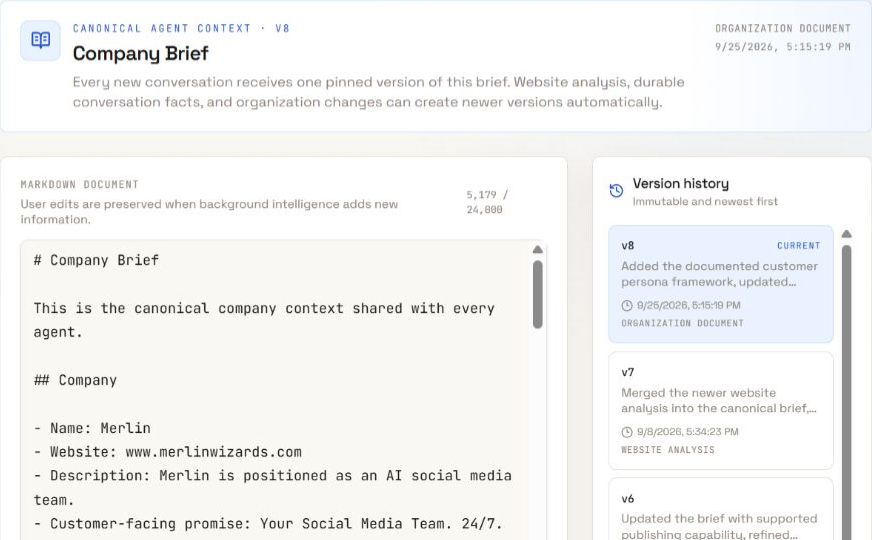
Read the brief. Keep the details useful and current.
A shared business starting point
Guidance you can change
Sources and updates you review
Before the next content request
Start with the context Merlin gathers automatically. Review the details and connect them to what this piece of content needs to say.
Merlin automatically gathers most business context from your website and other online presence. Review the resulting Company Brief, correct details, and add anything that is missing.
Keep business goals and operating guidance clear. Add relevant source material and tell Merlin what this particular content request should achieve.
Edit the brief when your offer, audience, or priorities change. Inspect saved versions when you need to understand earlier guidance.
Check the draft against your current business facts and writing guidance. Correct the copy before you approve the next action.
The details behind the message
Keep the business narrative, writing guidance, and relevant references clear. Add request-specific details when you ask for content.
Describe your products or services and the problem they address. Give the team a concrete starting point for the message.
Explain the audience, their needs, and their situation. Add the details that matter for the current content request.
Keep positioning and useful proof in the Company Brief. Use specific facts instead of claims the team cannot support.
Connect the request to a business goal. Explain the desired outcome and any constraints on the message.
Keep relevant reference files with your brand. Point the request to the source material it needs, then check how the draft uses it.
Keep voice and messaging guidance in the Brand Profile. Review it alongside the business narrative in your Company Brief.
From context to content
Use the saved business context as a starting point. Tell Merlin the topic, audience, channel, and goal for the current request, then open the saved draft to check it.
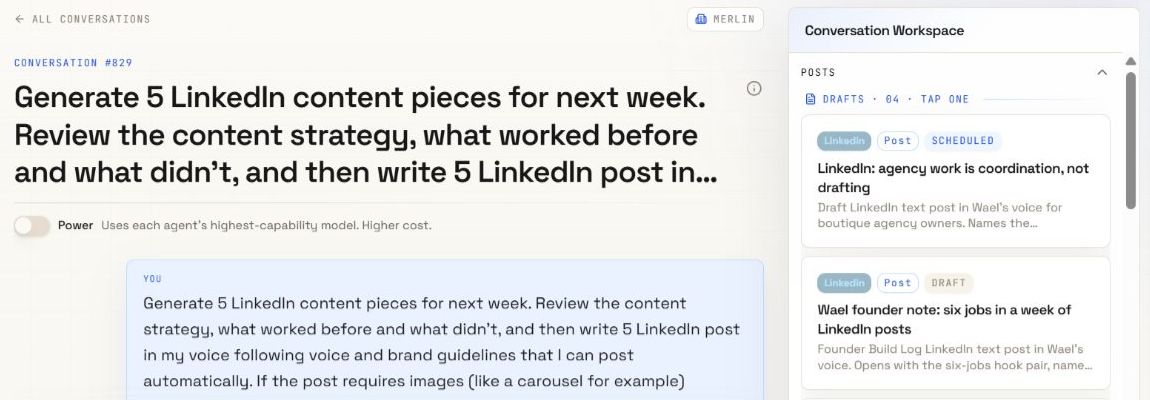
When the business changes
New offers and priorities need current guidance. Existing conversations can retain earlier context, and saved drafts still need review. Request a revision when the content should reflect a change.
Explore brand voiceBefore you brief the team
Merlin automatically gathers most business context from your website and other online presence. Review the resulting Company Brief, which holds the company narrative, products, audience, positioning, proof, and operating guidance. Your Brand Profile holds separate voice, messaging, and visual guidance. Relevant source material can support the work.
Yes. Review and edit the Company Brief as your business changes. Saved versions help you inspect earlier content. Check the current brief before starting work that depends on a new offer or direction.
No. Reference material does not silently replace current company knowledge. Review suggested knowledge updates before approving them, and check the facts used in a draft.
Updating context does not mean existing drafts are rewritten. Existing conversations may retain earlier context. Review saved content and request a revision when it needs the new information.
Saved context helps guide the work. It does not replace fact checking. Verify claims, dates, examples, and current business details before you publish.
Your ideas. A full team.
Bring your business, your voice, and your next idea.