
Is the content ready?
Draft and Approved describe a post inside Merlin. Review the saved content and choose its status in the post workspace.
Approved does not confirm publication.
Content review and approval
Review AI social media content in Merlin before it represents your business. Check the copy, voice, format, and publishing settings. Make changes. Decide what is ready.
Review the actual post
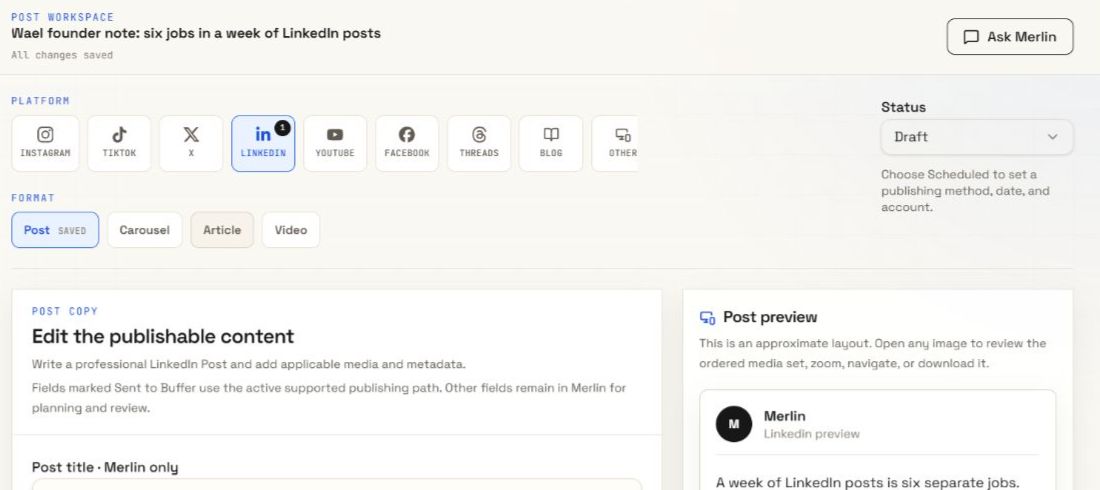
A saved draft you can inspect and change.
Inspect the copy and preview
Edit or ask for a revision
Check the publishing action
Before it goes further
The team can create the draft. You know what your business can stand behind.
Is the main point clear? Check names, numbers, claims, and links against your sources.
Does the draft sound like your business? Check it against your saved guidance and make the final wording yours.
Check the selected channel, post format, and media. Use the preview as a guide to the layout.
Check the account, publishing method, and date. Read any external publishing request before you approve it.
Know what you are approving
These are separate parts of the workflow. Check each one in its place.
Draft and Approved describe a post inside Merlin. Review the saved content and choose its status in the post workspace.
Approved does not confirm publication.
Buffer requests have their own approval controls. Check the requested action, enabled channel, content, and schedule before you approve or reject.
“Approve and publish now” can publish immediately.
After a publishing action, inspect its result and the post status. A date on the calendar records the plan; it does not prove that the post reached the channel.
Confirm the result before you count it as published.
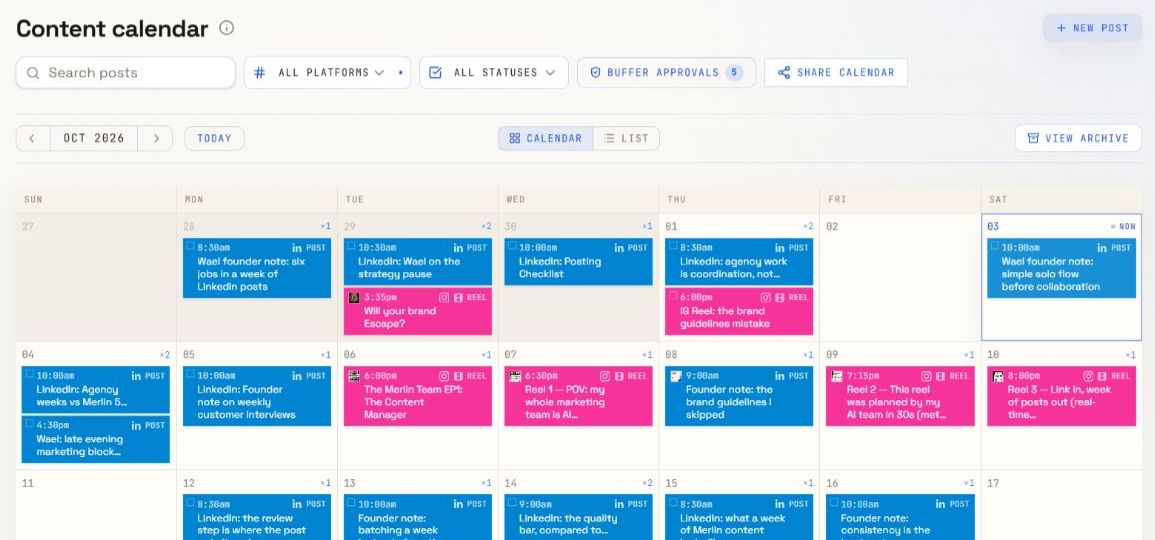
Keep the review close to the plan
Open a dated post from the calendar. Keep channel and status filters in view as you work through the posts that need attention.
A useful draft still needs your judgment
Your voice guidance gives Merlin a starting point. Use the review to check whether the wording, evidence, and tone fit this particular post.
Explore brand voiceBefore you approve
Open a saved post from the calendar or conversation workspace. Review its copy, selected channel, format, media, and preview. Edit the content directly or use Ask Merlin to request a change before you decide what happens next.
Yes. The post workspace has editable copy and content fields. Use Ask Merlin when you want help with a revision. Check the saved result before you approve a publishing action.
No. Approved is a post status inside Merlin. External publishing approval and publishing results are separate. Check the connected account and the result of the publishing action to confirm what happened.
It authorizes the specific external Buffer action shown in the request. Review the action, content, channel, and requested schedule. An Approve and publish now action can publish immediately. You can reject a pending request instead.
The preview is an approximate layout. Use it to review the draft, and check the requirements of the selected channel and format. Confirm the final publishing result separately.
Your ideas. A full team.
Bring your business, your voice, and your next idea.