
Social post copy.
Turn an update, lesson, or idea into a draft for a selected channel. Review the opening, main message, and call to action.
AI social media content creation
Create social media content with your business context in view. Turn a brief into channel-specific drafts, make the changes yourself, and review the copy before it becomes your next post.
From a content request
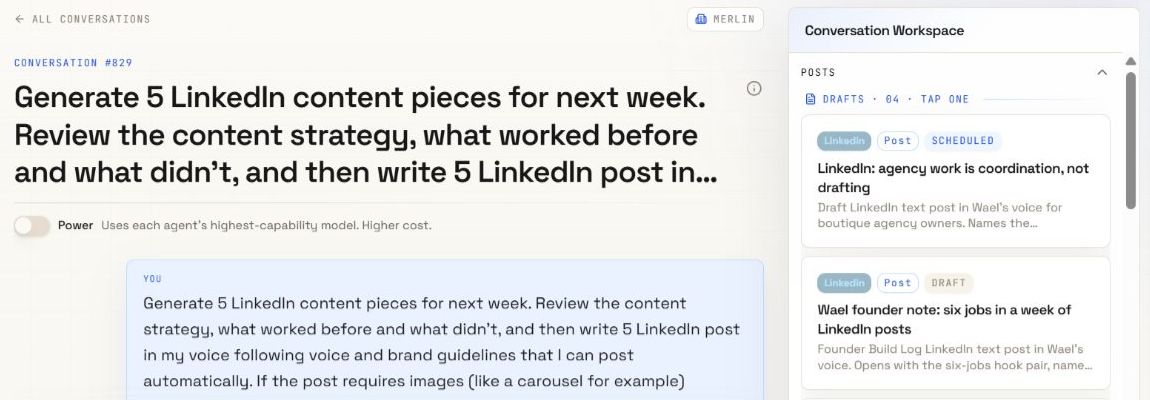
Start the request. Open the saved draft to make it yours.
A brief with business context
Copy you can change
Review before publishing
From source material to saved draft
Useful content starts with something real to say. Bring the facts and experience; inspect what the team creates.
Share the topic, audience, goal, and any facts or source material the draft should use. Add the channel and format you have in mind.
Ask Merlin for content in your workspace. Your business context and writing guidance give the team a starting point.
Read the saved draft. Edit the copy yourself or ask for a revision. Check the facts, examples, and voice against your source material.
Review the post and required media. Keep it in the calendar, prepare the visuals, or move to a supported publishing workflow when it is ready.
More ways to tell the story
Choose a format for the message. Each draft still needs your review and the media required for its destination.
Turn an update, lesson, or idea into a draft for a selected channel. Review the opening, main message, and call to action.
Develop a message across slides. Check the sequence and wording, then prepare and review the actual slide images.
Break a longer message into a sequence of posts. Review each part and how the argument moves from one to the next.
Work on the script, shot directions, and on-screen text. Use the brief to produce and review the video file.
Give the same idea a different format or angle for another channel. Review each version for its own audience and requirements.
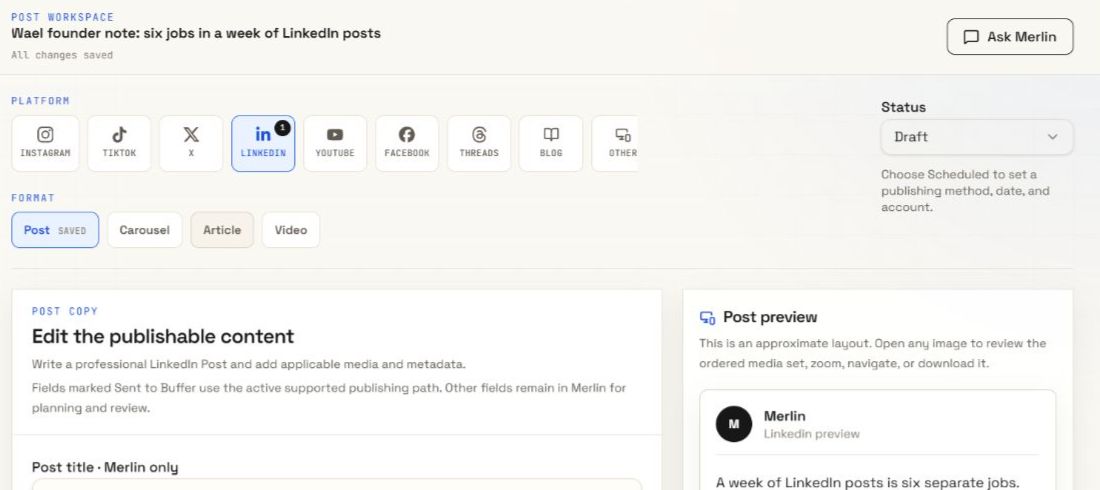
Keep the content in the post workspace. Make manual changes and request revisions before you decide what represents your business.
Inside the post workspace
Keep the channel, copy, and preview close together. Use the post workspace to check the message and request a revision before the content goes further.
The work around the draft
Keep writing guidance with your business context. Prepare editable visuals where the post needs them, then give the reviewed draft a place in the calendar.
Explore brand voiceBefore you create
Start with a brief in your workspace: the topic, audience, goal, channel, and relevant source material. Merlin creates a draft using the available business context. Open the saved post, make changes, and review it before publishing.
Yes. Edit the post copy yourself or ask Merlin for a revision. Check the resulting draft before you approve the next action.
Carousel copy describes the message across slides. Copy alone is not a finished set of images. Prepare the visuals and review their order, wording, and appearance before using the carousel.
A reel script or production brief is planning material. It does not create a finished video. Produce or supply a video file and check the destination requirements before publishing.
A generated draft is not a published post. Review the content and media, choose the delivery method, and complete the required checks and approval for the selected publishing path.
Your ideas. A full team.
Bring your business, your voice, and your next idea.