
The Merlin field guides / Content repurposing
Repurpose one business update
for different platforms.
Keep the facts. Give each format its own way to tell the story.
To repurpose a business update, confirm the source facts first, then adapt the opening, structure, media, and call to action for each channel. A LinkedIn post can explain the context, an Instagram caption can support a visual, a carousel can unfold the details, and a reel brief can show what to film. Keep the offer and evidence consistent across the set.
A service launch, a product change, or a useful answer to a customer can supply the starting point for several posts. The next step is to decide what each piece should help its reader understand.
This guide follows one fictional update through four adaptations. Use it as a working example of the process, not a claim about a real customer or a guaranteed way to improve engagement.
Start with one confirmed business update.
Collect the source before asking a writer or AI assistant to expand it. Use an approved service page, release note, customer question, or a short brief from the person who owns the offer. Resolve missing details at the source.
Source update · fictional design studio
We’re introducing a 45-minute website review for small service businesses. Booking opens Thursday. Each review covers the homepage message, navigation, and contact path. You’ll receive three prioritized recommendations. Request a review through our website.
Keep these facts fixed in every adaptation:
- The offer: a 45-minute website review.
- The audience: small service businesses.
- The scope: homepage message, navigation, and contact path.
- The deliverable: three prioritized recommendations.
- The timing and next step: booking opens Thursday; requests go through the website.
The source gives no price, limited capacity, customer quote, or promised result. Do not add those to make a draft sound more persuasive. In a real campaign, replace the relative day with confirmed timing where needed and recheck it before publishing.
Choose a job for each format.
You do not need to produce every format for every update. Choose the channels your business actually uses and the media you can prepare and review. The same source can support different explanations without changing the offer.
| Format | Job in this example | Work to prepare |
|---|---|---|
| LinkedIn post | Explain the offer and what the review covers. | A clear opening, supporting details, and the confirmed request path. |
| Instagram caption | Introduce the offer alongside a relevant visual. | A matching image and a next step readers can actually use. |
| Carousel | Separate the audience, scope, and deliverable across slides. | Slide copy, designed images, and a check of the sequence. |
| Reel | Show the review idea through a short filmed explanation. | A script, shot list, on-screen text, and a finished video. |
Keep a common brief behind the set: source, goal, audience, voice guidance, confirmed facts, and the action a reader should take. Then request a separate draft for each selected channel and format.
In Merlin
Work in the correct brand so its business context and voice guidance stay with the request. Ask for channel-specific drafts in a conversation, then inspect the saved posts. Give Merlin the actual source facts and explain which details must stay unchanged.
Explore business context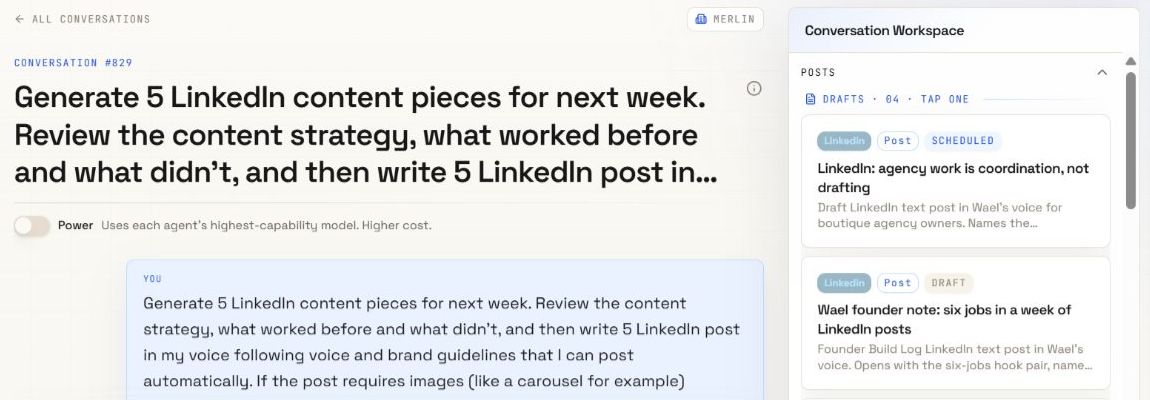
Give the post a clear reason to exist.
Start with a question the offer addresses, then explain what is available. Keep the detail needed to understand the service. The opening can change; the scope, deliverable, and booking information must remain accurate.
LinkedIn draft · fictional example
What should your website explain first?
We’re introducing a 45-minute website review for small service businesses. We’ll look at your homepage message, navigation, and contact path.
You’ll receive three prioritized recommendations, giving you a short list to work through after the review.
Booking opens Thursday. Request a review through our website.
The draft adds a question and organizes the confirmed details. It does not invent a founder story, a client result, or a new service guarantee. If you want to include a personal experience, get that experience from the person whose name will appear on the post.
Write the caption with its visual in mind.
For this example, use a simple visual showing the service name and the three review areas. Let the caption explain the offer and the next step. Check that the words on the image agree with the caption.
Instagram caption · fictional example
A fresh look at your website, with three priorities to take away.
Our new 45-minute website review is for small service businesses. We’ll look at your homepage message, navigation, and contact path, then give you three prioritized recommendations.
Booking opens Thursday. Request a review through our website.
Adapt the request path to the account’s actual setup. If you direct people to a profile link, confirm it reaches the right page before posting. Do not insert “link in bio” as a habit when the destination is missing or points elsewhere.
Add relevant image descriptions and check the crop where the publishing workflow supports them. Keep the important offer details readable in the actual asset.
Give each slide one part of the message.
A carousel outline should explain the sequence before design starts. Use the same source to introduce the offer, identify the audience, describe the scope, and end with the next step.
Five-slide outline · fictional example
- The offer: Introducing our 45-minute website review.
- Who it is for: Small service businesses.
- What we check: Your homepage message, navigation, and contact path.
- What you receive: Three prioritized recommendations.
- The next step: Booking opens Thursday. Request a review through our website.
Use layout and visual hierarchy to connect the slides. Review the whole sequence at a readable size. A slide that works on its own can still repeat the previous slide or miss an essential step in the overall story.
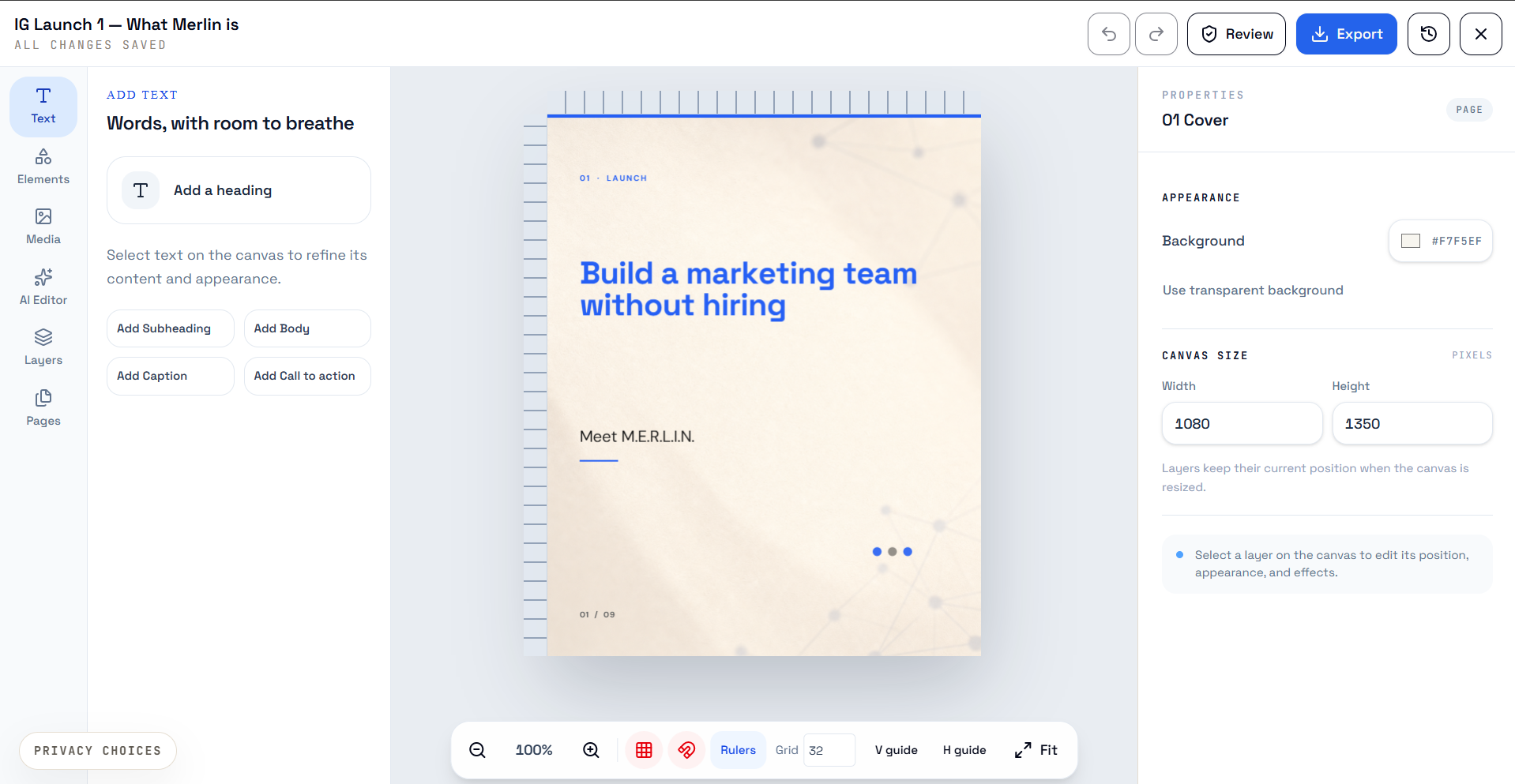
Carousel copy is a plan for the slides. Prepare the actual images and review their order, text, and layout. Merlin’s editable image tools can help with the visual work; inspect the available layers and the exported result.
Turn the update into a filming brief.
Decide what a viewer will see while the message is spoken or shown on screen. Write for the footage you can produce. Keep the explanation concrete enough that the person filming knows what to capture.
| Shot | What to film | Script or on-screen text |
|---|---|---|
| Introduce | A presenter at the studio desk. | “We’re introducing a 45-minute website review for small service businesses.” |
| Show the scope | Your own website, moving from the homepage to navigation and the contact path. | “We look at your homepage message, navigation, and contact path.” |
| Explain the output | A simple three-item recommendations card. | “You’ll receive three prioritized recommendations.” |
| Close | The presenter and a readable service title. | “Booking opens Thursday. Request a review through our website.” |
This is production guidance, not a finished reel. Record or supply the footage, edit the video, check the on-screen text, and review the final file. A script or a brief generated in Merlin does not create a finished video.
Review the set against the source.
Read the adaptations together before approving them individually. A small change in wording can turn a modest service description into a claim the business never made.
- The offer, audience, scope, and deliverable still match the source.
- Dates and request paths are correct for each planned post.
- No version adds an unsupported price, quote, deadline, or promised result.
- The opening and structure suit the intended format.
- Carousel images and the finished video exist and match the approved copy.
- The selected channel, account, publishing method, and required approval are correct.
Keep the drafts in the selected brand’s calendar and choose dates you can support. A calendar slot records a plan; it does not prove a post has published. Check the external action and its result separately.
Use the social media content approval workflow to agree on sign-off and revisions. For the wider planning process, read how agencies manage client content calendars.
Before you adapt the next update.
Do I need to use all four formats?
No. Choose the channels and formats that fit the audience, the update, and your production capacity. One useful post is a reasonable outcome when the source does not need a full set.
Can I use the same wording everywhere?
Keep factual service wording consistent where needed. Then review the opening, order, media, and next step for each channel. Use each format to explain the update clearly rather than changing words only to make versions look different.
What should I give an AI assistant?
Supply the approved source, goal, audience, tone guidance, selected channel and format, confirmed next step, and facts it must not invent. Review each draft against the original source before using it.
Does a carousel outline or reel brief include finished media?
No. An outline describes the slide content; a reel brief describes the planned video. Produce and review the images or video file before scheduling the post.
Put the source to work
One update. Drafts you can review.
See how Merlin uses business context to prepare editable content for a selected channel and format.
Explore content creation